Troubleshooting
The problems Job Lab owners meet most often, each with what causes it and how to fix it.
Updated 9 Oct 2026 · written for Job Lab 1.1.0
On this page
- Where to look first
- "Can't find meta/_journal.json file"
- The site stops as it starts, with an error that names APP_SECRET
- A port is already in use
- No jobs are arriving
- Search finds nothing
- An employer cannot post a job
- Emails are not sent
- A payment went through and nothing changed
- The Google sign-in button is missing
- Saved keys stopped working after a move
- Telegram's Setup Webhook does nothing on my own computer
- The site is not in Google
- I am locked out of the admin
- Uploads fail
- A change to a server's settings file did nothing
- Where the logs are
Find your problem in the headings below, or search for the words of the error message. Each entry says what causes it and what to do. Screens are named by their place in the admin sidebar, and server commands are for a board called myboard in /opt/joblab.
Where to look first#
Open System Health under Overview in the admin sidebar. The banner lists everything that is wrong in plain words, and each failing check says what to do about it.
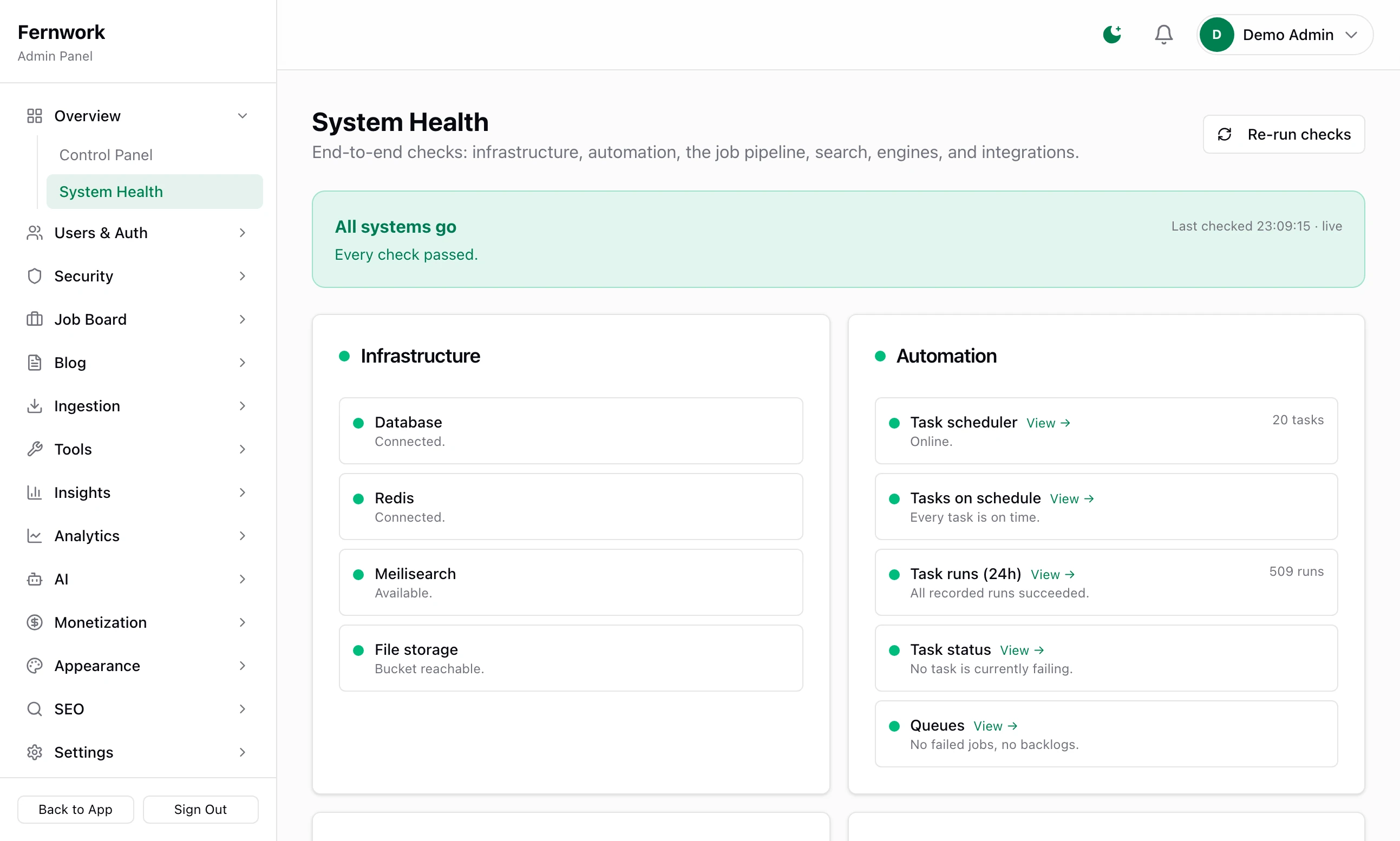
If the site will not open at all, read Where the logs are.
"Can't find meta/_journal.json file"#
You ran pnpm db:migrate. The README of version 1.0.0 gave that command, and it does not work on a fresh copy. It is gone in 1.1.0. The command that creates the tables is:
pnpm db:pushThe site stops as it starts, with an error that names APP_SECRET#
Job Lab checks its settings when it starts and refuses to run without APP_SECRET. The error names the setting and says "Required" if the line is missing from .env, or "String must contain at least 16 character(s)" if the value is too short. DATABASE_URL is checked the same way. Make a value and put it in .env:
openssl rand -base64 32APP_SECRET=paste-the-long-string-hereChoose it once. The keys you save in the admin are encrypted with it: see Updating Job Lab.
A port is already in use#
docker compose up -d fails with "port is already allocated" when another program has one of the ports the services use on your computer:
| Port | Used by | Line in .env |
|---|---|---|
| 3000 | The site itself | NEXT_PUBLIC_APP_URL and AUTH_URL |
| 5433 | PostgreSQL | DATABASE_URL |
| 6379 | Redis | REDIS_URL |
| 7700 | Meilisearch | MEILI_URL |
| 9000 | MinIO file storage | S3_ENDPOINT |
| 9001 | The MinIO console | None |
Stop the other program, or change the port. In docker-compose.yml the first number of a pair such as "5433:5432" is the port on your computer: change that one and the same number in the .env line. For the site itself, start it with pnpm dev --port 3001 and change both lines in .env to http://localhost:3001.
On a server the ports are different: see Deploy to a server.
No jobs are arriving#
Open Sources under Ingestion. Each source shows when it last ran and its last error.
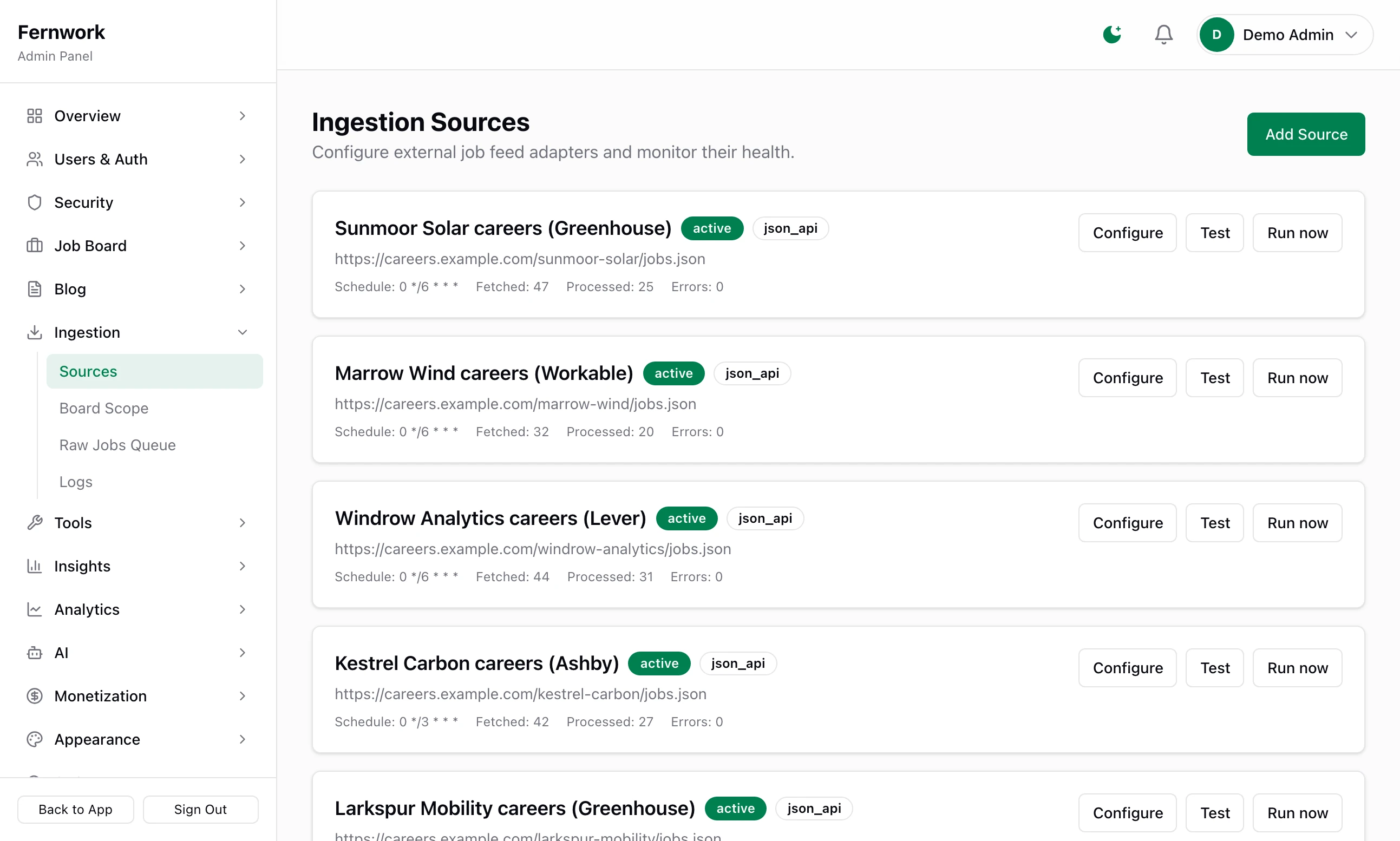
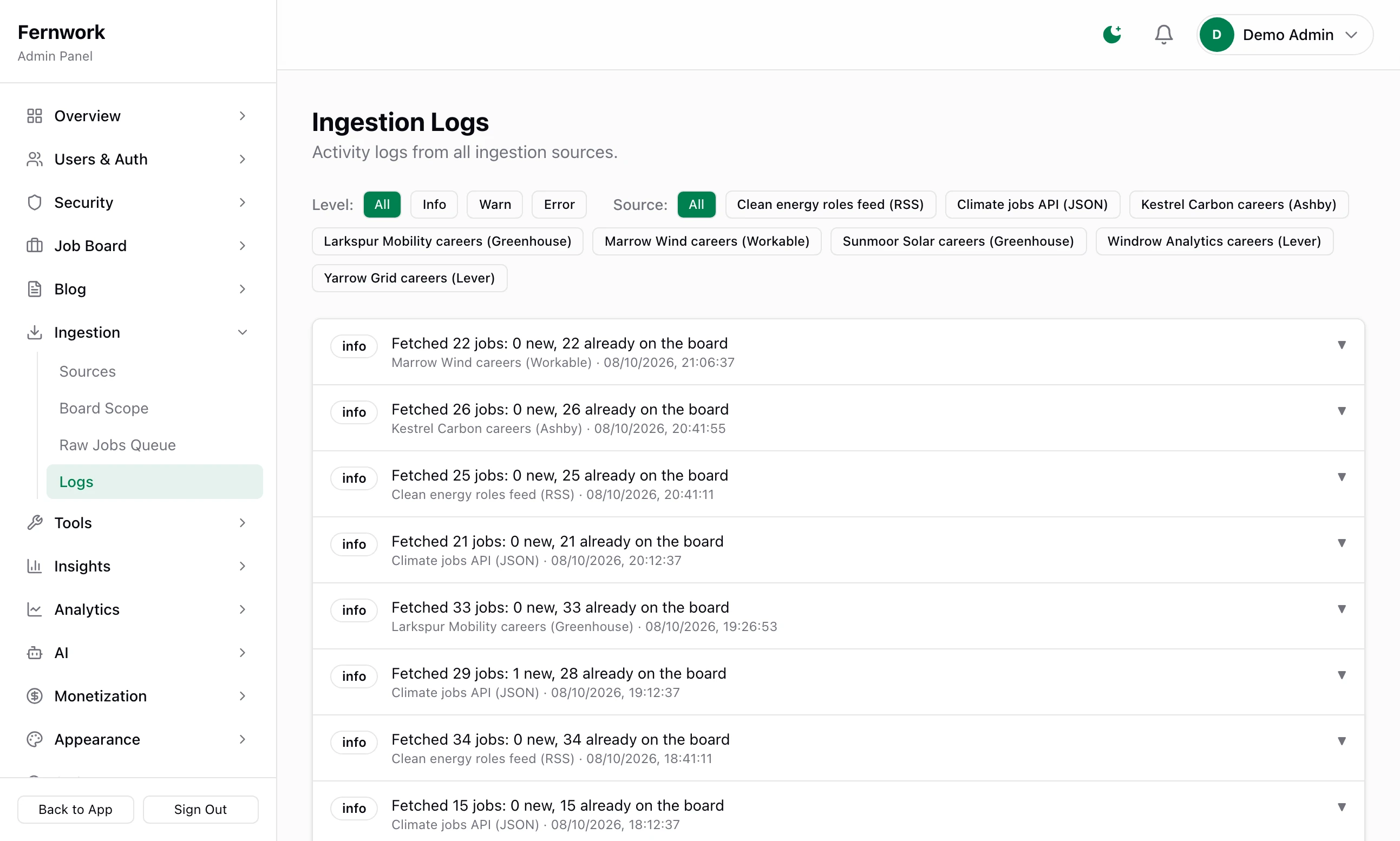
A source has stopped. After 5 failed fetches in a row a source is switched off, and Logs under Ingestion has a line beginning "Source auto-disabled after 5 consecutive errors". Read the error, correct the source and switch it on again: see Add job sources.
The scope is too narrow. Jobs are fetched and then turned away. In Logs, each batch ends with a line such as "Processed batch: 0 new, 2 duplicates, 48 out of scope, 0 errors". Open Raw Jobs Queue and filter Status to Rejected to see which jobs, then widen the keywords: see Board scope and the raw jobs queue.
Nothing is scheduled. Open Scheduled Tasks under Tools. If it shows "Scheduler Offline", Redis cannot be reached and no source is fetched. On your computer run
docker compose up -dand restartpnpm dev. On a server run./scripts/prod/deploy.sh infra, then./scripts/prod/deploy.sh restart myboard.The site is not running. Tasks run inside the site. On your own computer, jobs arrive only while
pnpm devis running.
Search finds nothing#
Open Search Index under Tools.
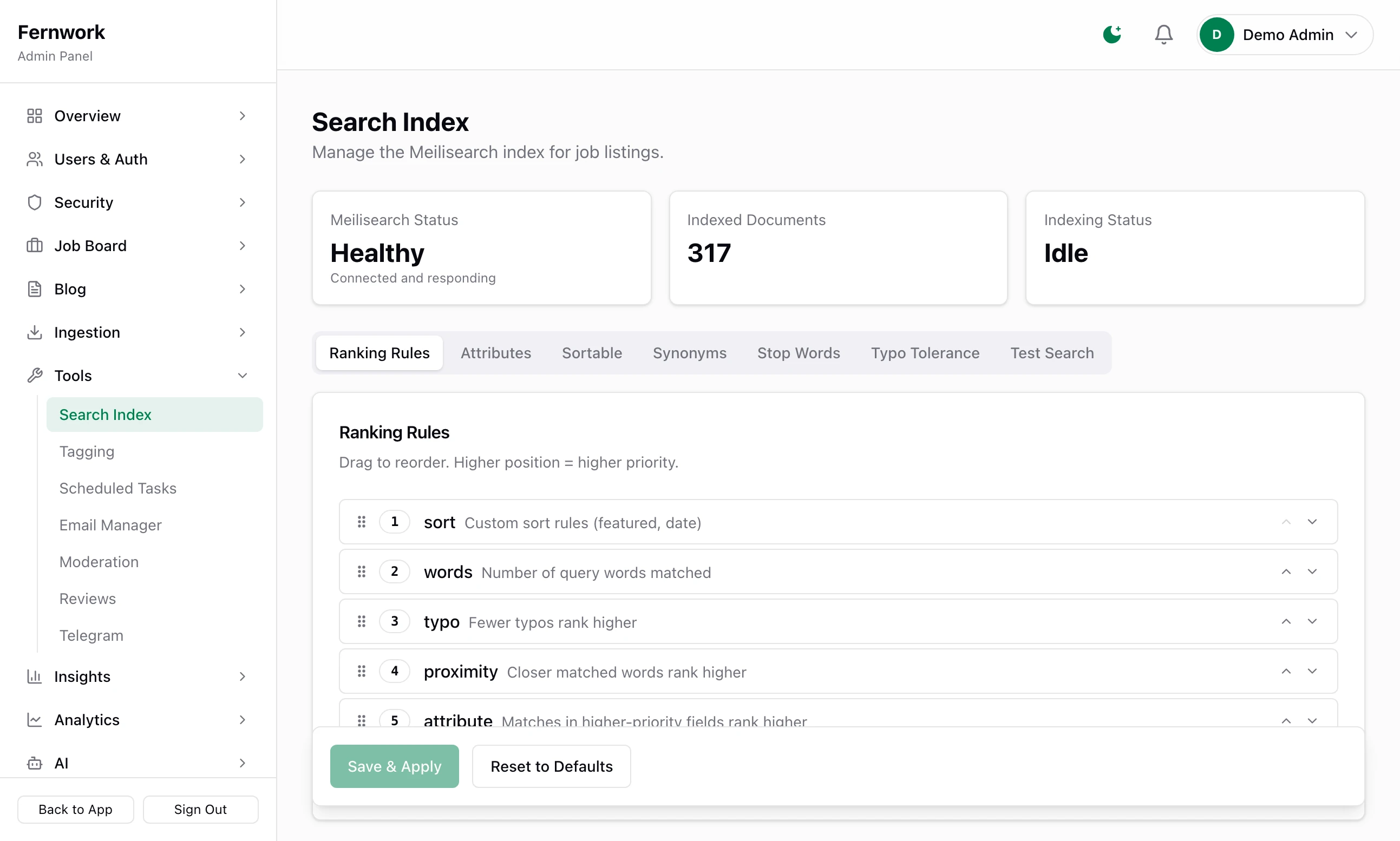
Meilisearch Status reads "Unavailable": the search service is down. The site still searches, straight from the database, which is slower and less exact. Start the service again:
docker compose up -don your computer,./scripts/prod/deploy.sh infraon a server.Indexed Documents is 0, or far from the number of published jobs: click Full Reindex. It empties the index and fills it again from the database, then answers "Reindexed" with the number of jobs. Do this after you restore a backup or move a board.
The Search Index Reconcile task also repairs the index every day at 04:00 UTC.
An employer cannot post a job#
"One quick step first — verify your email address, then come back here to post." Employers and job seekers must confirm their email address before they post or apply. If the site has no email server, the link is never sent. Connect one, as in Email that arrives, or confirm the account yourself: open All Users under Users & Auth, choose View profile from the person's Actions ▾ menu and click Mark email verified under Account Actions. Admin accounts are not asked.
"You've used this month's job posts": the employer's plan allows a set number of posts in 30 days. See Sell employer plans.
Emails are not sent#
Open Email Manager under Tools.
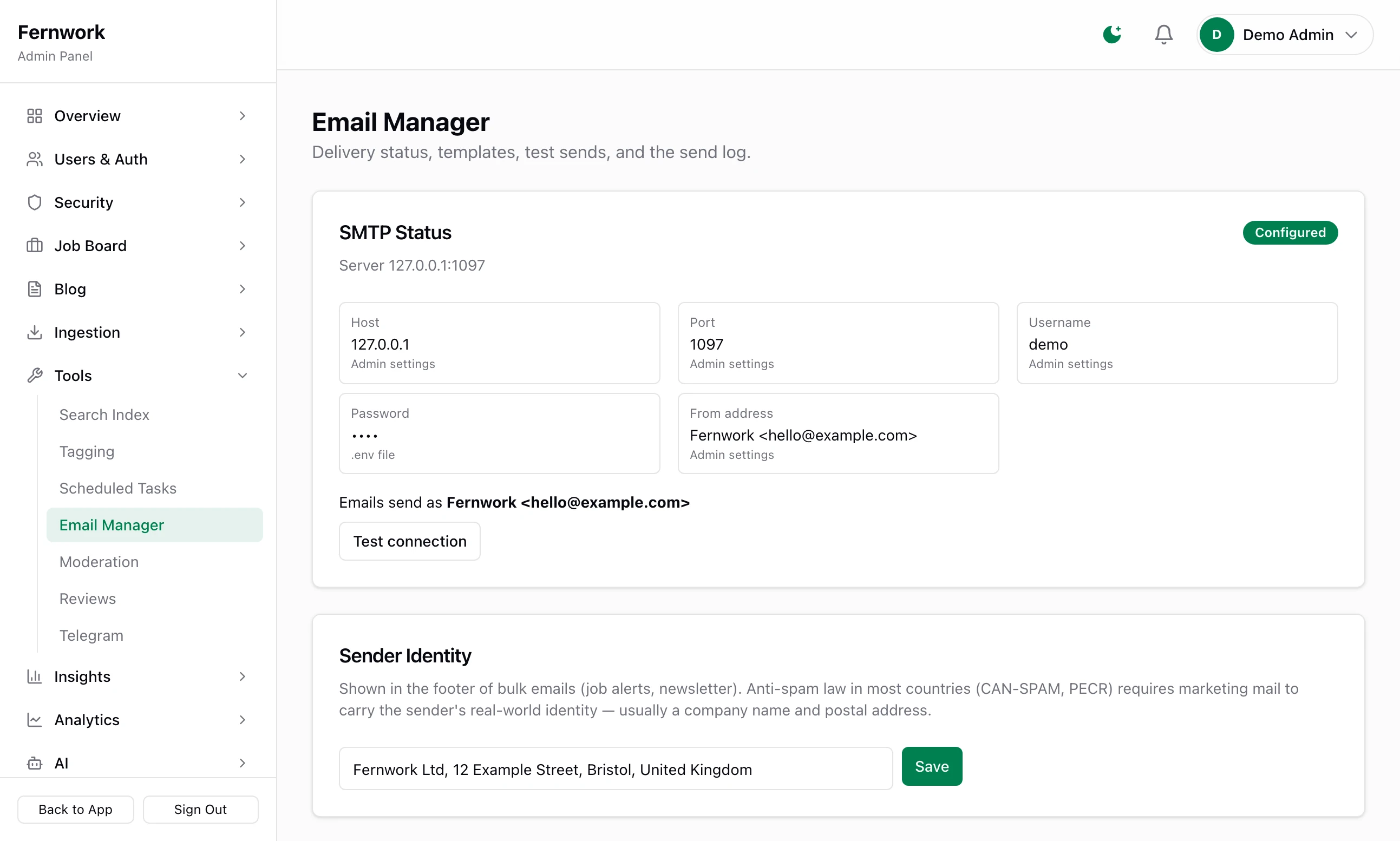
SMTP Status reads "Not Configured": no email server is set. Enter one under Integrations & Secrets in Settings: see Email that arrives. Until then nothing is emailed. A password-reset link, or a verification link that someone asks for again, is written to the log instead.
It reads "Configured": click Test connection. If the mail server refuses, its own message is shown.
Recent Sends lists each email with its error if it failed. A failed email has a Resend button, so nothing queued while the server was wrong is lost.
A payment went through and nothing changed#
Stripe took the money, and the plan, the featured job or the advert did not appear. Only Stripe's webhook applies a payment: a message Stripe sends to /api/webhooks/stripe on your site. In your Stripe dashboard, open the webhook and look at what your site answered.
| Answer | Cause |
|---|---|
| Nothing was sent, or it could not connect | The webhook is not set up, or its address is wrong. A site on your own computer cannot be reached by Stripe at all. |
| 400 "Missing signature" | No Stripe webhook signing secret is saved in the admin. |
| 400 "Invalid signature" | The signing secret belongs to another webhook, or to the other of test and live mode. |
| 503 "Stripe not configured" | No Stripe secret key is saved. |
| 500 "Handler failed" | The site failed while applying it. Read the log. |
Correct it under Integrations & Secrets, then send the event again from Stripe. Each payment is applied once however often it is sent. Connect Stripe covers the set-up.
The Google sign-in button is missing#
The button appears only when both OAuth client ID and OAuth client secret are saved under Google sign-in in Integrations & Secrets, and only after a restart: the site reads them once, as it starts. Stop and start pnpm dev, or run ./scripts/prod/deploy.sh restart myboard. See Telegram alerts and Google sign-in.
Saved keys stopped working after a move#
Stripe, email or AI stopped working after the board moved to another server or database, and the Integrations page says "A key was saved here but can no longer be read, because the app secret changed since. Paste the key again to store it under the current one." The new copy has a different APP_SECRET. Put the old value in the new settings file, or paste every key in again: see Updating Job Lab.
Telegram's Setup Webhook does nothing on my own computer#
The webhook is how Telegram sends your commands and button presses to the site, and Telegram accepts only a public https address. http://localhost:3000 is refused.
Alerts do not need the webhook. A bot token and a chat ID are enough for the site to send you messages. Set the webhook up once the board is on a server.
The site is not in Google#
The setup wizard switches search-engine indexing off, so that a half-built board is not listed. While it is off, robots.txt tells every crawler to stay out and every page asks not to be indexed. When you are ready, open Settings under SEO, tick Allow search engines to index this site and save. The launch checklist on the Control Panel has the same item: "Turn on search-engine indexing at go-live". Google then needs days, not minutes: see SEO: landing pages, indexing and Search Console.
I am locked out of the admin#
"Too many failed attempts — this account is temporarily locked." Five wrong passwords in 15 minutes lock an account for 15 minutes, unless you changed those numbers under Security, Settings. Wait, then sign in.
You forgot the password. Use Forgot password? on the sign-in page. If the site has no email server, the link is not sent. It is written to the log in a line containing "password reset link" and resetUrl: copy that address into your browser.
No admin account works. Register an ordinary account on the site, then make it an admin from the terminal:
pnpm tsx scripts/make-admin.ts [email protected]cd /opt/joblab
docker run --rm --network joblab-net --env-file sites/myboard/.env joblab-tools pnpm tsx scripts/make-admin.ts [email protected]It prints "✓ [email protected] is now an admin", or "No user found with email:" if no account has that address. Sign out and sign in again. The script changes the role of an existing account. It does not create one and does not change a password.
Uploads fail#
System Health shows File storage with "Storage bucket "joblab" is missing — logo and resume uploads will fail." The services are running and the bucket was never made. On your computer run:
pnpm setup:minioIt answers "Bucket "joblab" created successfully." On a server new-site.sh makes the bucket, so this points at a wrong S3_BUCKET in sites/myboard/.env.
A change to a server's settings file did nothing#
./scripts/prod/deploy.sh restart restarts the container with the settings it was created with. It does not read sites/myboard/.env again. Rebuild instead:
SKIP_PULL=1 ./scripts/prod/deploy.sh update myboardWhere the logs are#
On your own computer: the terminal where
pnpm devis running.On a server:
./scripts/prod/deploy.sh logs myboardshows the last 200 lines the board has written and keeps following. Press Ctrl and C to stop. For a shared service, usedocker logs joblab-postgres,joblab-redis,joblab-meiliorjoblab-minio. The nightly backup writes to/var/log/joblab-backup.log.More detail: add
LOG_LEVEL=debugto.env, or tosites/myboard/.envon a server, and start the site again. Without the line the level isinfo.
The admin keeps its own records:
| Record | Where |
|---|---|
| Every fetch, with its errors | Logs under Ingestion, filtered by Level and Source |
| The last 30 task runs | Execution History on Scheduled Tasks |
| Every email, sent or failed | Recent Sends on Email Manager |
| Sign-ins, lockouts and admin actions | Event Log under Security |
Stuck on a step? Send a message.