What Local Lab is and how it earns
What the kit builds and the four ways a Local Lab site takes money, with what visitors, business owners and you each see.
Updated 7 Oct 2026 · written for Local Lab 1.2.1
On this page
Local Lab is a website you run yourself: a directory of local businesses in one trade, such as lawn care, plumbing or dog grooming. Every business has its own page, every city has its own pages, and you control all of it from the Admin Dashboard at /admin.
Who it is for#
Local Lab is for someone who wants to run a directory as a small business. You pick a trade and the cities you cover and fill the directory with businesses. Then you sell those businesses ways to be seen and ways to get customers.
You do not need to be a developer. Day to day you work in the admin. A few jobs, such as installing the site and finding businesses in bulk, are done with terminal commands, and the guides give each command exactly.
The four ways it earns#
All four are switched on and priced by you.
| What you sell | Who pays | Where you set it up |
|---|---|---|
| Featured listings | A business owner pays to be shown first on the home page, in one city or in one category. | Site Settings, the Revenue tab |
| Leads | A business owner pays a monthly subscription to receive the quote requests customers send for a city. | Site Settings, the Revenue tab, under Leads System Settings |
| AdSense | Google pays you for adverts shown in the sidebar of your pages. | AdSense under Quick Actions |
| Direct ads | An advertiser pays you, and you place their advert in the sidebar and in the emails the site sends. | Advertising under Quick Actions |
Featured listings come in three placements, each with a limited number of places. See Sell featured listings.
Leads are sold per city. A visitor asks for quotes, and the businesses subscribed to that city receive the request. You set the monthly price and how many businesses may subscribe in each city, which is 3 to begin with. See Sell leads.
AdSense and direct ads are covered in Ads: AdSense and direct.
Featured listings and lead subscriptions are paid for by card through Stripe, into your own Stripe account. See Connect Stripe.
What a visitor sees#
A visitor needs no account to browse.
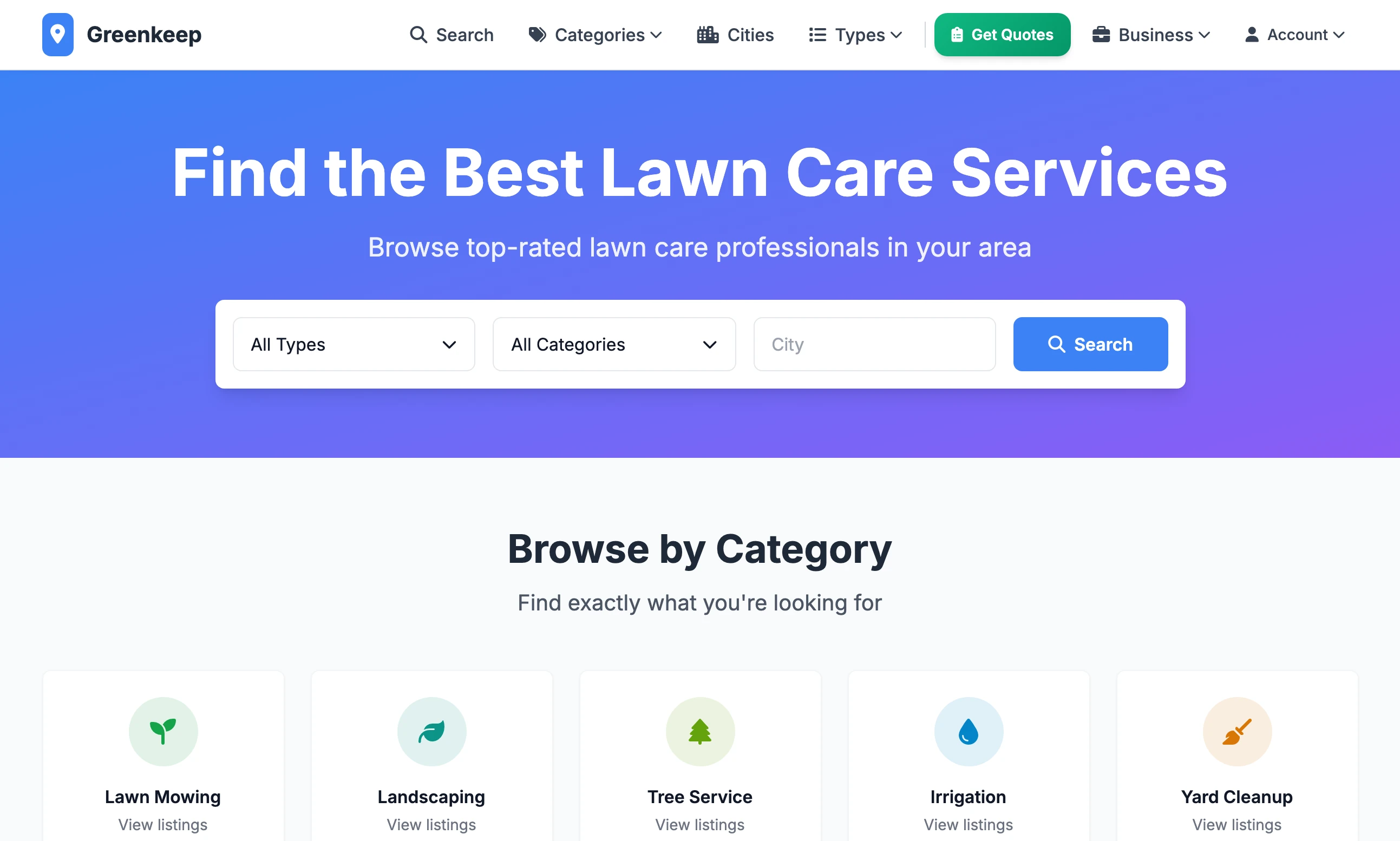
The home page has your headline, a search box with filters for type and category, a Browse by Category grid and the list of businesses, featured ones first.
The menu has Search, Categories, Cities, Types and Get Quotes.
A business page has the description, a map, the selling points under Why Choose Us, Pricing & Services, Reviews, contact details and Similar Businesses in the same city. A box invites the visitor to get a quote.
City pages list the businesses in one city, and there is a page for each category in each city. See Cities, map pins and geocoding.
Get Quotes opens the form a customer fills in to ask local businesses for a price. This is where leads come from.
A visitor has to create an account and sign in to write a review.
What a business owner sees#
A business owner creates an account, signs in and lands on their own dashboard at /user/dashboard. It is separate from your admin and shows only their own things.
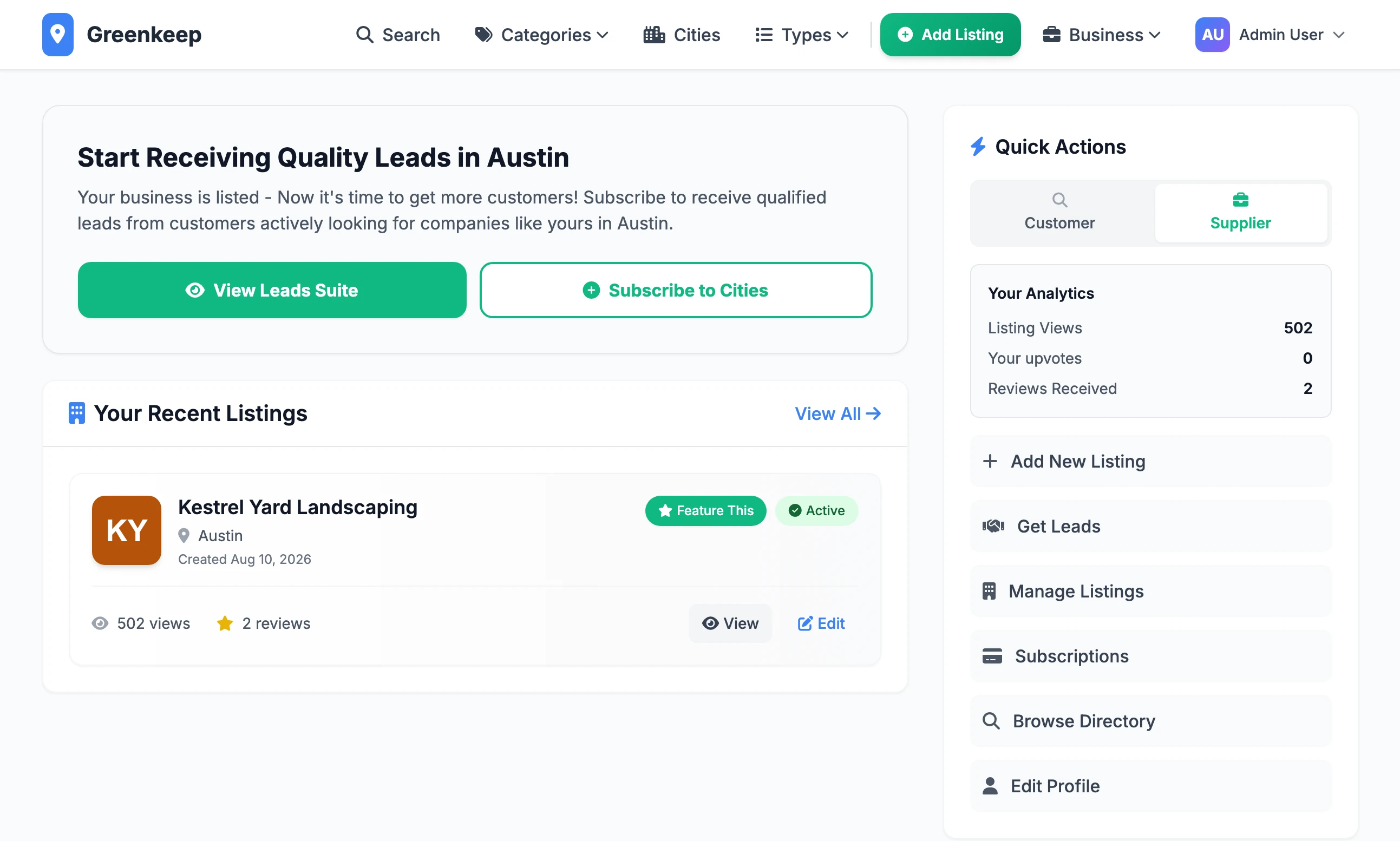
The dashboard has two views, Customer and Supplier, switched with the buttons at the top of its Quick Actions. A business owner uses the Supplier view:
Add New Listing to list their business. It waits for your approval unless you have switched approval off.
Manage Listings to edit their listing and to pay for a featured placement.
Get Leads to subscribe to quote requests in the cities they choose.
Subscriptions to see and cancel what they are paying for.
Your Analytics counts their listing views, upvotes and reviews.
An owner whose business you added yourself can take it over with Claim This Business on its page. You approve the claim. See Listings, reviews and claims.
The Customer view is for the public: Quote Requests they have sent and Your Reviews.
What you see#
You sign in at /admin and arrive on the Admin Dashboard: a growth chart, eight totals, the newest listings and the Quick Actions menu that leads to every other screen.
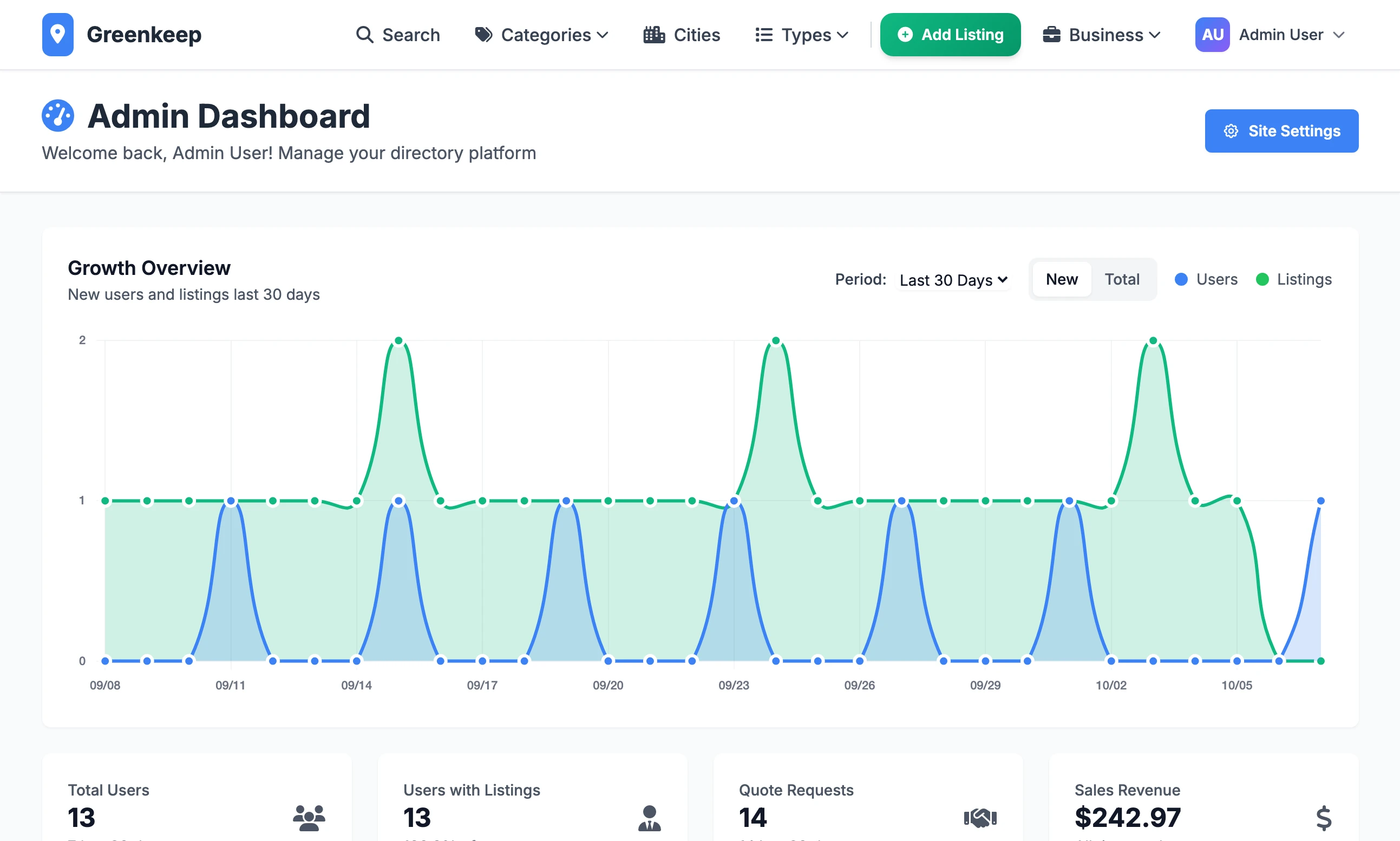
From here you approve listings and reviews, import businesses, set prices, read the sales figures and change how the site looks. A tour of the admin goes through it screen by screen.
Where to go next#
- Install Local Lab on your computerGet the site running with your own admin account.
- Make it your nicheName, colours, categories and the sample content to clear out.
- How the data pipeline worksFrom an empty directory to hundreds of businesses.
- Connect StripeNeeded before you can sell a featured listing or a lead subscription.
Can one site cover more than one trade?
It is built around one. The trade is a single setting, Main Category, and it is part of the address of every city page. Categories sit underneath it, so a lawn care directory can have Lawn Mowing, Tree Service and Irrigation, but they are all read as kinds of lawn care.
Can I run it without selling anything?
Yes. Every one of the four is optional. With featured listings and leads switched off and no adverts set up, the site is a free directory.
Do business owners have to pay to be listed?
No. A basic listing is free. Owners pay only for a featured placement or a lead subscription, if you sell them.
Stuck on a step? Send a message.