SEO settings and page templates
Set the page titles and descriptions that search engines show, add Google Analytics and learn what the sitemap, robots.txt and structured data do without being asked.
Updated 7 Oct 2026 · written for Local Lab 1.2.1
On this page
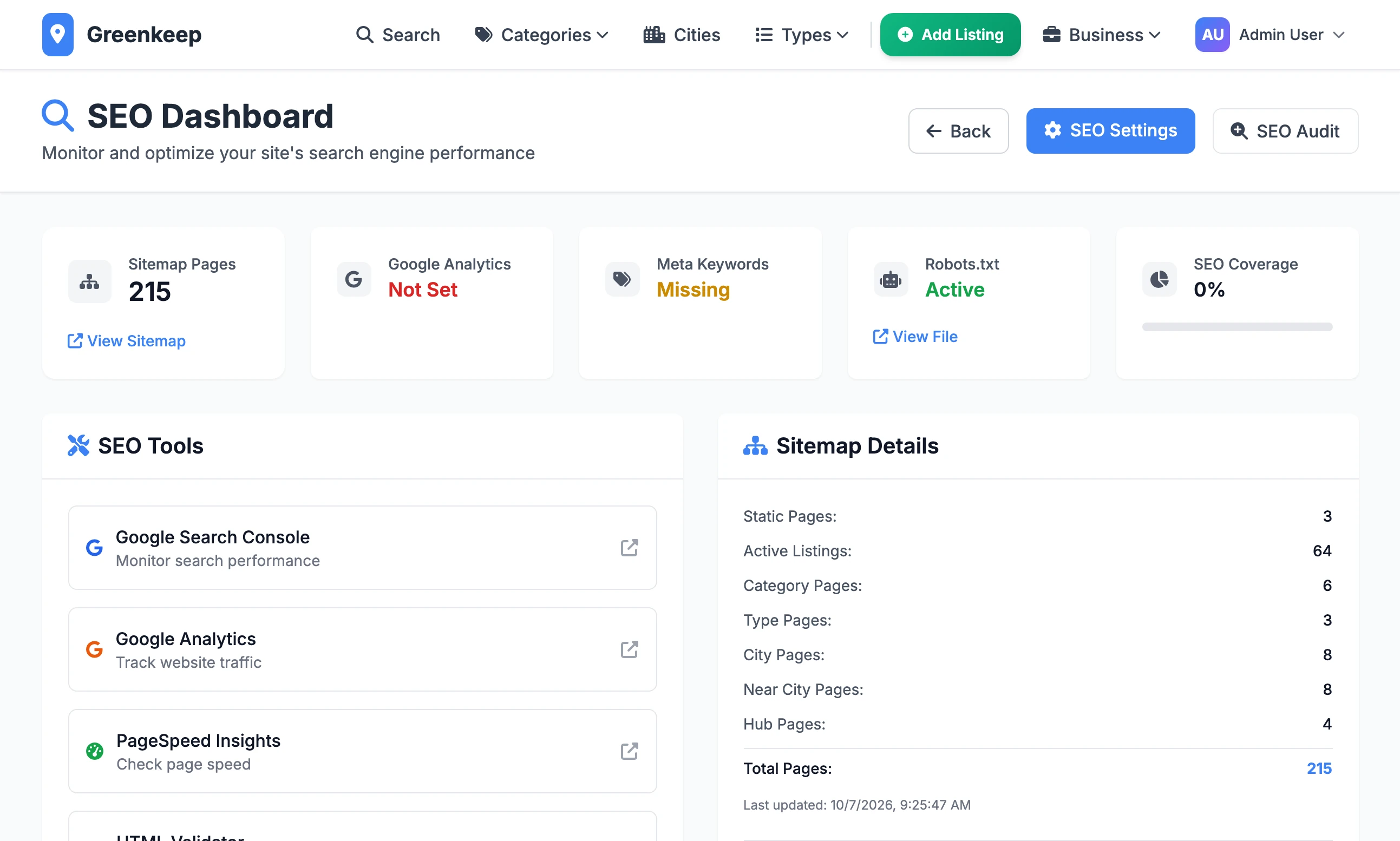
Open SEO under Quick Actions to reach the SEO Dashboard. This is where you set the title and description each kind of page gives to search engines, add Google Analytics and find your sitemap. Most of it works from the first day with every box empty.
Change a title or description#
Step 1: Scroll down to SEO Configuration
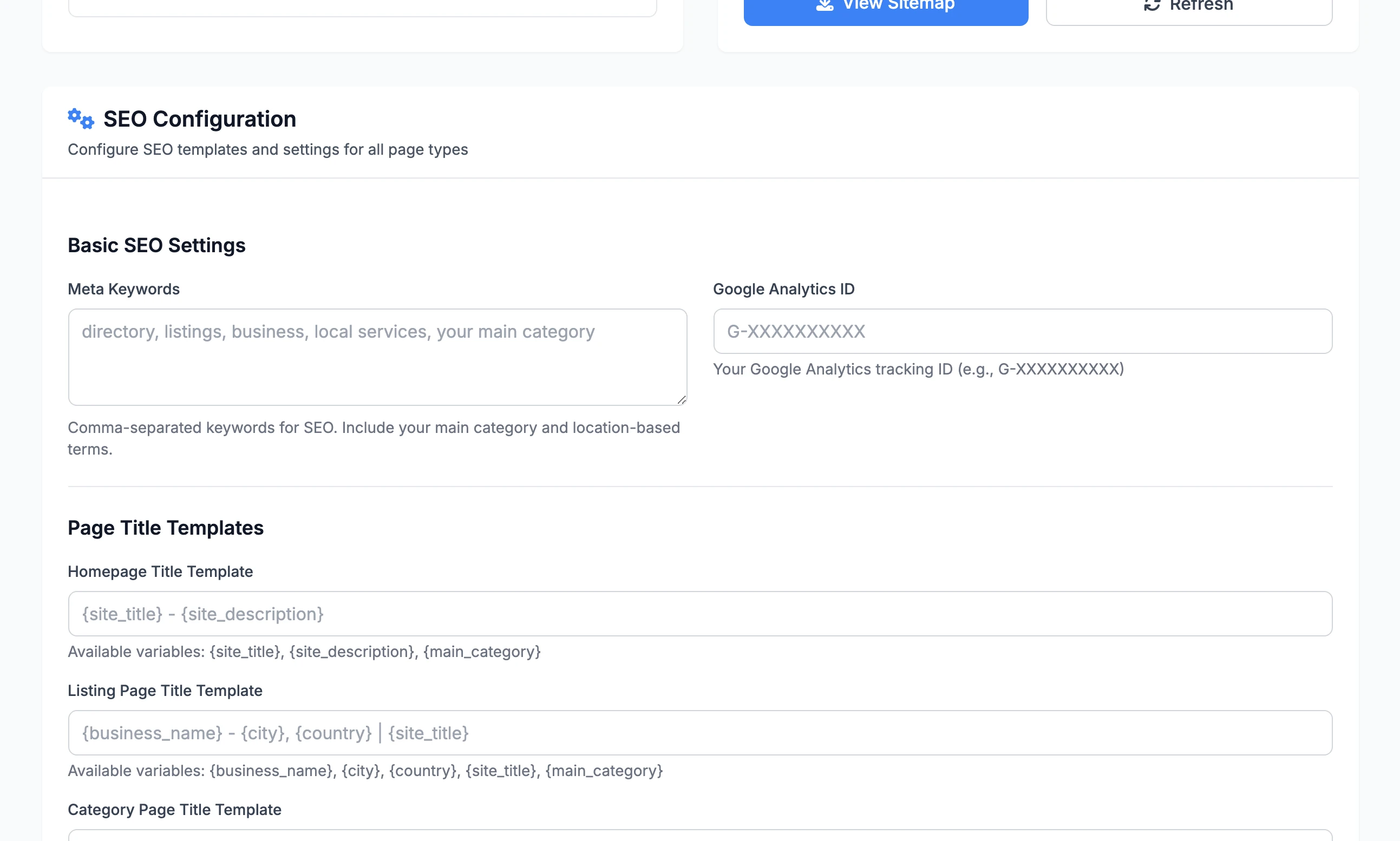
Under Page Title Templates and Meta Description Templates there is one box for each kind of page. An empty box means the built-in wording is in use. The grey text in the box shows that wording.
Step 2: Write the template
Type ordinary words, and put a placeholder in curly brackets wherever a value should be filled in. For a city page:
City Page Title Template{main_category} in {city}: compare local companies | {site_title}Step 3: Click Preview Templates
A Template Preview panel appears with sample values filled in, such as a business called Sample Business in New York, and the length of each result. A placeholder that does not belong to that template is listed under Template Validation Errors. Nothing is saved yet.
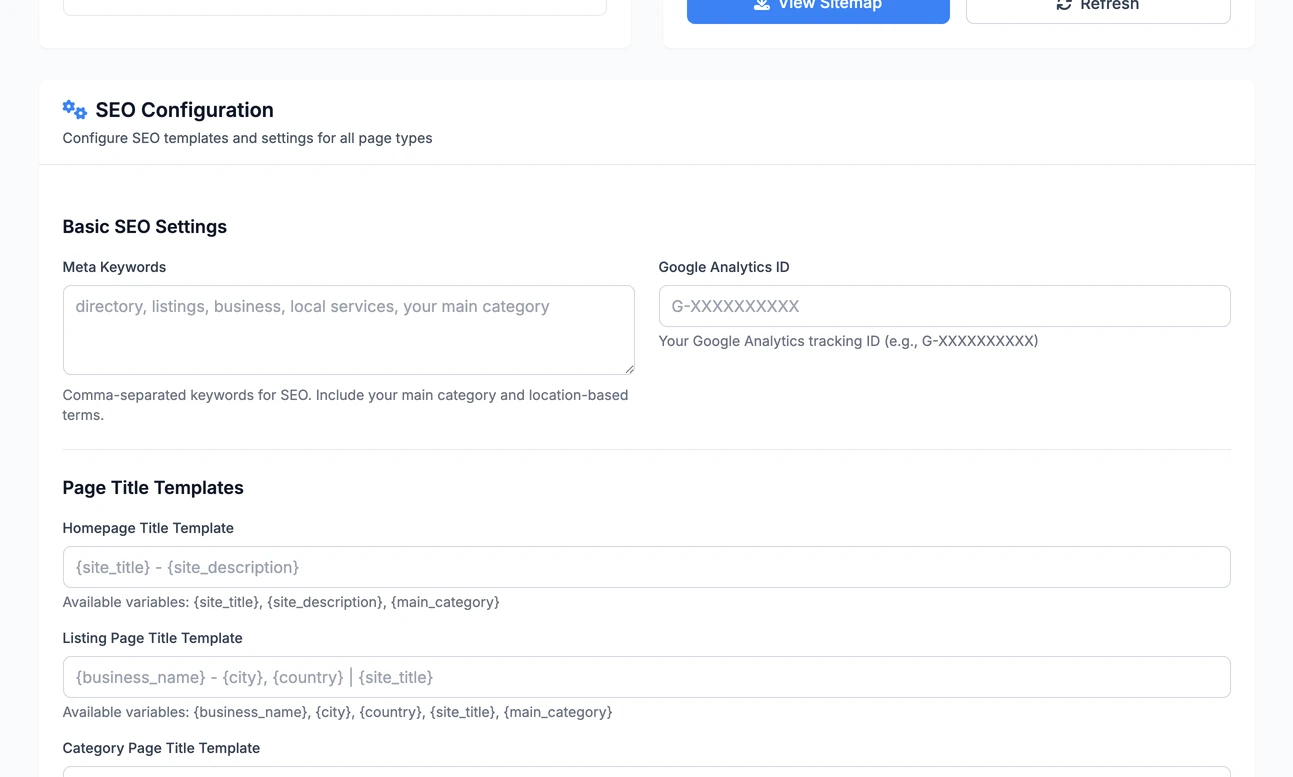
The title templates. Grey text is the built-in wording. Step 4: Click Save SEO Configuration
The new wording is used from the next page anyone loads.
Step 5: Check a real page
Open a page of that kind on your site and read the title in the browser tab.
The templates and their placeholders#
Every template can use {site_title} and {main_category}, which are Site Title and Main Category on the General tab of Site Settings.
| Template | Sets the title and description of | It can also use |
|---|---|---|
| Homepage | The home page | {site_description}: your Site Description |
| Listing Page | Every business page | {business_name}, {city}, {country}, {category}: the listing's first category, {short_description}: its short description, or the first 160 characters of the long one |
| Category Page | Every type page, such as /type/independent | {category}: the name of the type. {city} and {country} are accepted and always empty |
| City Page | Every city page, such as /lawn-care-in-austin | {city}, {country} |
| Search Page | Search results | {query}: what the visitor searched for |
A description longer than 160 characters is cut there and ends with three dots. These are the titles used while a box is empty:
Homepage   {site_title} - {site_description}
Listing    {business_name} - {city}, {country} | {site_title}
Category   {category} {main_category} - {site_title}
City       {main_category} in {city}, {country} - {site_title}
Search Search Results - {site_title}Google Analytics and keywords#
Google Analytics ID: paste your measurement ID, which looks like
G-XXXXXXXXXX. Google's tag is then loaded on every page, the admin included, and the Google Analytics card at the top changes from Not Set to Active.Meta Keywords: words separated by commas, put in the keywords tag of every page. Fill this in. While it is empty, every page carries a keywords tag containing the word "None".
The sitemap#
Your sitemap is at /sitemap.xml. The Sitemap Pages card counts what is in it and Sitemap Details breaks the count down. It lists:
the home page,
/searchand/contactthe four hub pages:
/categories,/cities,/cities-nearand/typesevery live listing. Pending listings are left out.
every active category and type
an "in" page and a "near" page for each city that has a live listing
each category in a city and each type in a city that has a live listing
It is rebuilt at most once an hour, so a new listing can take that long to appear. The addresses in it use the domain you fetched it from, so always give search engines the address on your real domain.
robots.txt#
The site writes /robots.txt itself. It is not a setting.
| Crawler | May read |
|---|---|
| Google's AdSense crawlers | Everything |
| Googlebot and Bingbot | Every plain address, and pages 2 to 5 of a list |
| GPTBot, ChatGPT-User, Applebot and Meta's two crawlers | Plain addresses only |
| Everyone else | Every plain address, and page 2 of a list |
Apart from AdSense, every crawler is kept out of the admin, the sign-in and registration pages, the owner dashboard and profile and any address with a filter or sort in it. The last line gives the address of your sitemap.
Structured data#
Pages carry structured data: a description of the page written for search engines. You do not switch it on.
Every page: your site and its search box, and your organisation, built from the site title, logo, contact details and social links in Site Settings.
Business pages: a local business record with the name, description, pictures, address, phone, website, email, categories and map position, plus the average rating and up to five reviews when it has any.
Business, category, type, city and search pages: breadcrumbs.
Every page also names its own address as canonical and has Open Graph and Twitter tags for link previews.
SEO Title and SEO Description on a listing#
The listing form has an SEO Settings section with SEO Title and SEO Description, and business owners see it too. The two values are saved, shown back in the admin and can be added to a CSV export, but the public page does not use them. A business page takes its title and description from the Listing Page templates. To improve one listing's description in search results, write its short description.
The SEO Audit#
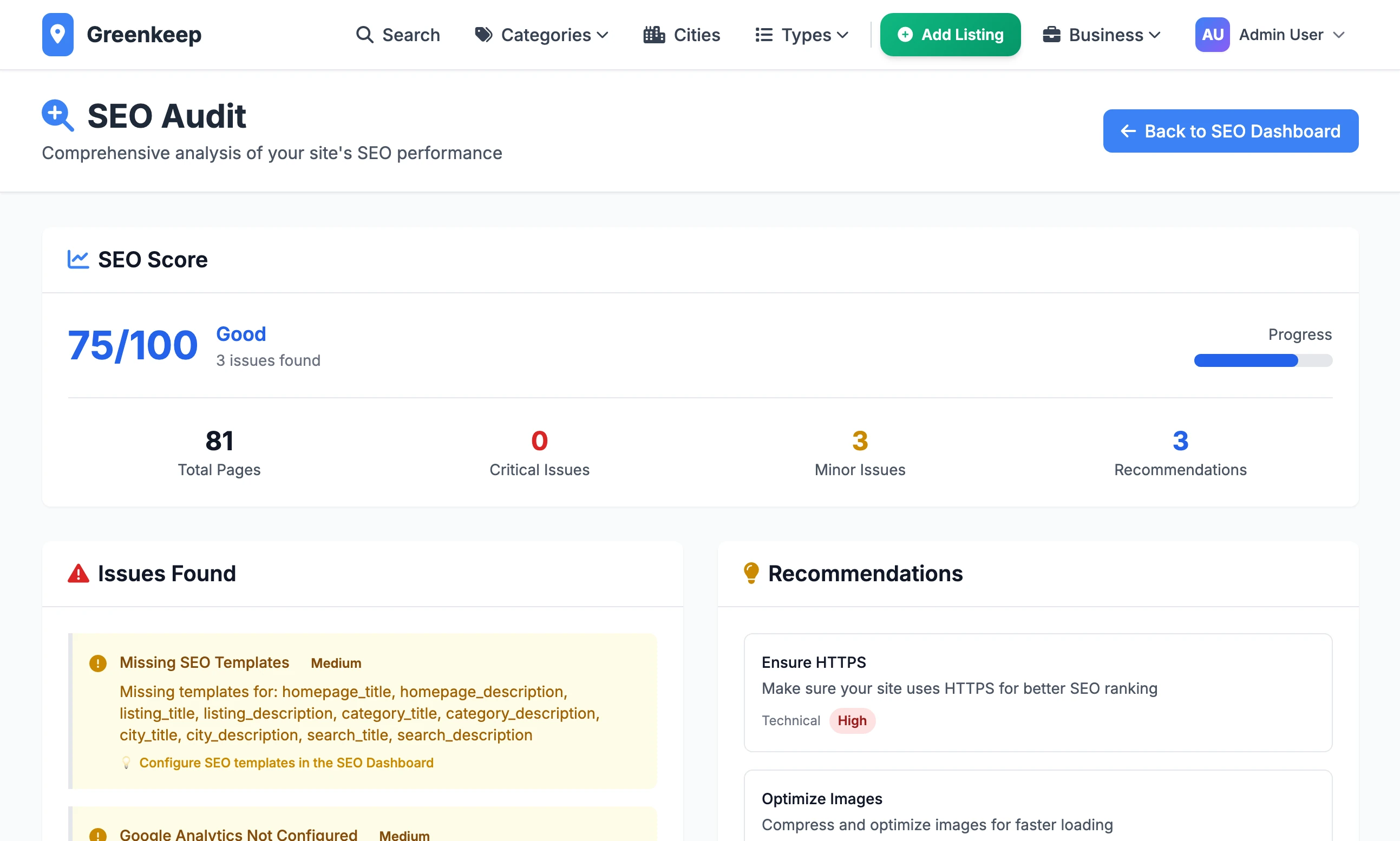
Click SEO Audit at the top of the dashboard for a score out of 100 and a list under Issues Found.
| It looks for | Points lost |
|---|---|
| Any title or description template left empty | 10 |
| A title template over 60 characters, or a description template over 160 | 5 each |
| Business names used by more than one listing, in any city | 15 |
| Live listings with no description | 10 |
| No Google Analytics ID | 10 |
| No meta keywords | 5 |
Each line is counted once, however many boxes or listings it covers. The audit reads your settings and your listings. It does not open your pages, so it finds none of the faults described above. The list under Recommendations is the same on every site.
Do I have to fill in the templates?
No. The built-in wording is used until you do. The audit keeps reporting "Missing SEO Templates" until every one of the ten boxes has something in it.
How do I give Google my sitemap?
The dashboard links to Google Search Console under SEO Tools. Add your domain there and submit the address of your sitemap, for example https://yourdomain.com/sitemap.xml.
Can I change robots.txt?
Not from the admin. The rules are written in the code.
Stuck on a step? Send a message.