Backups, scheduled jobs and PostgreSQL
What runs on your server every night, where the backups go, how to restore one by hand and how to move a SQLite site to PostgreSQL.
Updated 7 Oct 2026 · written for Local Lab 1.2.1
On this page
A server set up with deploy.sh backs nothing up until you install the schedule. One command, bash scripts/setup-crons.sh, installs two nightly jobs: a backup of every site and a check of paid placements against Stripe. This guide covers both, then how to restore a backup and how to move a site from SQLite to PostgreSQL. Commands are run as root in /opt/directorylab, for a site called lawn.
Install the schedule#
bash scripts/setup-crons.shIt adds these two lines to root's scheduled jobs. See them with crontab -l.
0 3 * * * /opt/directorylab/scripts/backup-all.sh auto >> /var/log/directorylab-backup.log 2>&1 # directorylab-backup
30 4 * * * /opt/directorylab/scripts/deploy.sh sync-subscriptions-all >> /var/log/directorylab-sync.log 2>&1 # directorylab-subscription-sync| Time | What runs | Where it writes what it did |
|---|---|---|
| 03:00 | The backup of every site | /var/log/directorylab-backup.log |
| 04:30 | The Stripe check for every site | /var/log/directorylab-sync.log |
The times are by the server's clock. The script calls them UTC, which is true only if the server is set to UTC.
deploy.sh update runs this script every time. first-run and add-site do not, so run it once yourself on a new server. Running it again is safe: it replaces its own two lines and leaves any others alone.
The nightly backup#
For each site, scripts/backup-all.sh:
Dumps the database
directorylab_lawnto/opt/directorylab/backups/<tier>/db/lawn_<date>_<time>.sql.gz. The file is plain SQL, compressed.Archives the uploads in
sites/lawn/uploadstobackups/<tier>/uploads/lawn_uploads_<date>_<time>.tar.gz, but only when a file there has changed since the last archive.
The tier is chosen by the date, in UTC, and each tier keeps its newest files for each site:
| Tier | When | Kept |
|---|---|---|
monthly | The 1st of the month | 6 |
weekly | A Sunday that is not the 1st | 4 |
daily | Every other day | 7 |
Disk guard: if the disk is more than 80% full when the script starts, it stops and backs up nothing.
Size check: a dump smaller than 1 KB is counted as a failure.
Telegram alert: optional. Create the file
/opt/directorylab/.backup.envwith a bot token and chat ID, and the script sends a message whenever a backup fails. It sends nothing on success. Telegram, Google sign-in and reCAPTCHA explains how to get both.
TELEGRAM_BOT_TOKEN=your-bot-token
TELEGRAM_CHAT_ID=your-chat-idRun a backup by hand#
/opt/directorylab/scripts/backup-all.sh
/opt/directorylab/scripts/backup-all.sh monthly
./scripts/deploy.sh backup lawn
./scripts/deploy.sh backup-all
The first line does what the nightly job does. The second puts the backup in the tier you name:
daily,weeklyormonthly.The last two are a different, simpler backup: the database only, for one site or for all, written straight into
backups/aslawn_<date>_<time>.sql.gz. These are never cleared out. Use one before an update.
Restore a backup#
There is no restore command in deploy.sh. The file scripts/restore_postgres.py is for a different kind of backup and cannot read these. Restoring is done by hand, and it replaces everything in the site's database: anything added since the backup was made is gone.
Step 1: Choose the file and keep the present state
bashls -lh backups/daily/db/ ./scripts/deploy.sh backup lawnThe second line saves the database as it is now, in case you want it back.
Step 2: Stop the site
bashdocker stop directorylab-lawnStep 3: Empty the database
bashdocker exec directorylab-postgres psql -U directorylab -c "DROP DATABASE directorylab_lawn;" docker exec directorylab-postgres psql -U directorylab -c "CREATE DATABASE directorylab_lawn;"Step 4: Load the backup
Put the name of your chosen file in place of the one here.
bashgunzip -c backups/daily/db/lawn_20261007_030001.sql.gz | docker exec -i directorylab-postgres psql -U directorylab -d directorylab_lawnStep 5: Put the uploads back, if you need them
bashtar -xzf backups/daily/uploads/lawn_uploads_20261007_030001.tar.gz -C sites/lawnStep 6: Start the site
bash./scripts/deploy.sh update-site lawn ./scripts/deploy.sh fix-sequences lawn
The nightly Stripe check#
At 04:30 the schedule runs sync-subscriptions-all, which does three things for each site:
Featured placements. A one-time placement past its end date is removed. For a subscription, Stripe is asked, and the placement is removed unless Stripe says the subscription is active or on trial. A placement you gave away with no end date is left alone.
Lead subscriptions. The same question is asked of Stripe, and an ended subscription is switched off.
Payments. The last seven days of charges are copied from Stripe into Sales, so a payment whose webhook never arrived is still counted.
To run it yourself: ./scripts/deploy.sh sync-subscriptions lawn, or ./scripts/deploy.sh sync-subscriptions-all.
What does not run on a schedule#
Email campaigns. Nothing sends them, and the file that would,
process_email_campaigns.py, is not copied into the container. Send each batch with Send Now on the campaign's page: see Email, campaigns and bounces.Bounced emails. Nothing reads them on a schedule.
cleanup_expired_featured.pyis not in the container either. The nightly Stripe check does that work.
A copy from the admin#
Open Database under Quick Actions for the health page, which has a Download Dump button.
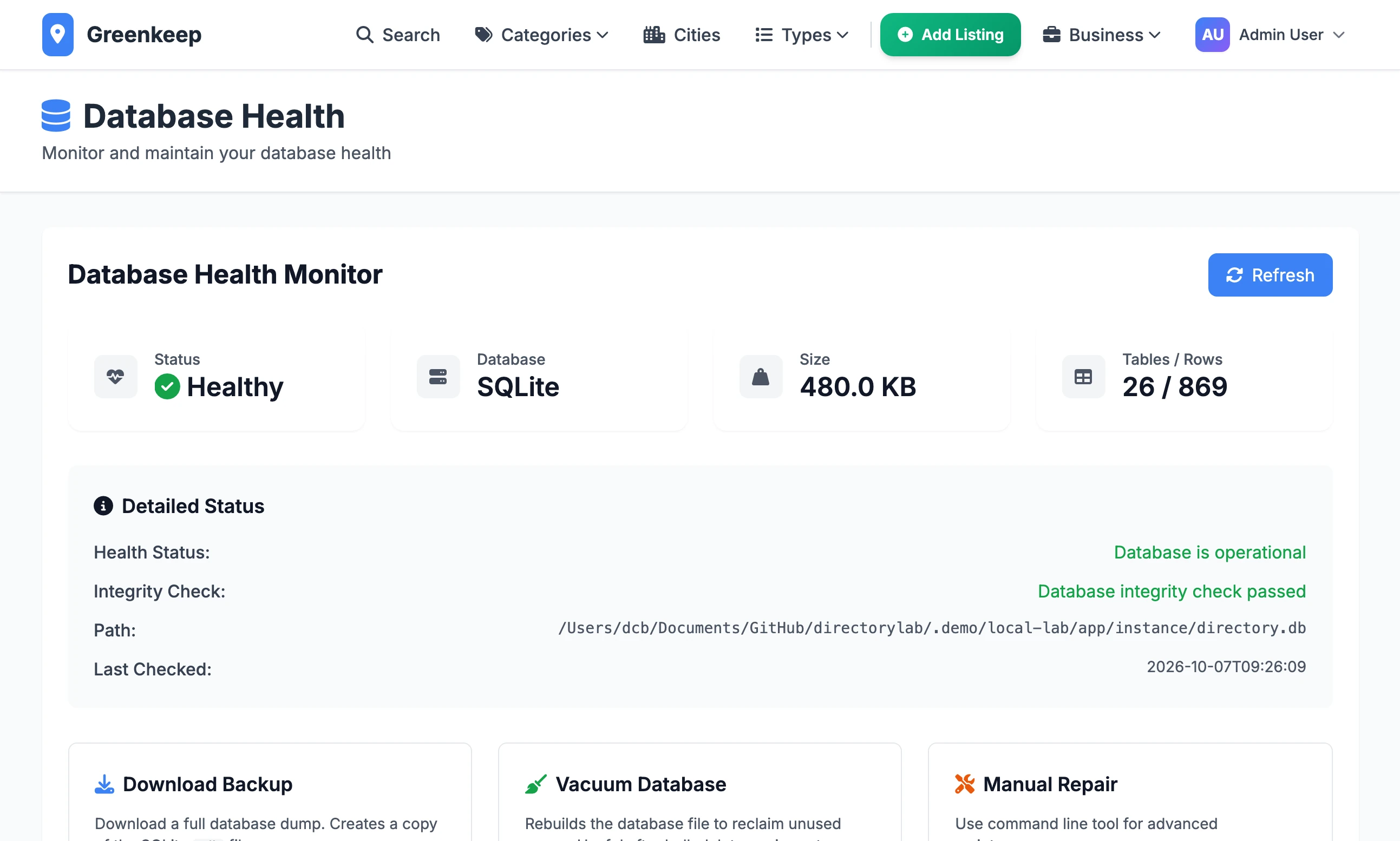
On your own computer, with SQLite, the download is a copy of the whole database file. That is a complete backup.
On a server set up with
deploy.sh, the tool that makes a full dump is not in the container. The download is a list of the rows with no table definitions, which cannot be restored by itself. Save on Server writes inside the container, and that copy is lost the next time the site is restarted withupdate-siteorupdate. Use the backups above.
Move a SQLite site to PostgreSQL#
scripts/sqlite_to_postgres.py copies a whole SQLite database into PostgreSQL. It takes two things and has no other options: the path of the SQLite file, and the address of the PostgreSQL database. It makes the tables, empties each one it is about to fill and copies the rows. Then it prints a count from both sides for every table, marked OK or MISMATCH. The SQLite file is not changed.
Step 1: Make the new site on the server
Run
./scripts/deploy.sh add-site lawnas in Deploy to a server. Do not complete the setup wizard: your admin account arrives with the data.Step 2: Carry over the secret key
Copy the
SECRET_KEYvalue from the old site's.env. Without it, the Stripe keys and email password saved in the admin cannot be read.bash./scripts/deploy.sh set-env lawn SECRET_KEY=your-old-secret-key ./scripts/deploy.sh update-site lawnStep 3: Copy the database file to the server
Stop the old site so that nothing changes, then copy
instance/directory.dbup from the Local Lab folder on your computer.On your computerscp instance/directory.db root@YOUR-SERVER-IP:/root/Step 4: Run the script inside the site's container
bashdocker cp /root/directory.db directorylab-lawn:/tmp/directory.db docker exec directorylab-lawn sh -c 'python scripts/sqlite_to_postgres.py /tmp/directory.db "$DATABASE_URL"'Read the list at the end. Every line but
site_configurationshould say OK.Step 5: Copy the settings again
Make a file that holds only the settings table, and run the script on that.
bashapt-get install -y sqlite3 sqlite3 /root/directory.db ".dump site_configuration" | sqlite3 /root/settings-only.db docker cp /root/settings-only.db directorylab-lawn:/tmp/settings-only.db docker exec directorylab-lawn sh -c 'python scripts/sqlite_to_postgres.py /tmp/settings-only.db "$DATABASE_URL"'This time the list has one line, and it should say OK.
Step 6: Copy the uploaded pictures
Copy the contents of the old
static/uploadsfolder into the new site's uploads folder, then hand them to the user the site runs as.On your computerscp -r static/uploads/* root@YOUR-SERVER-IP:/opt/directorylab/sites/lawn/uploads/On the serverAPP_UID=$(docker run --rm --entrypoint id directorylab -u) chown -R "$APP_UID:$APP_UID" /opt/directorylab/sites/lawn/uploadsStep 7: Restart and sign in
bash./scripts/deploy.sh update-site lawn ./scripts/deploy.sh fix-sequences lawnSign in with the admin account from the old site.
fix-sequences#
./scripts/deploy.sh fix-sequences lawn
./scripts/deploy.sh fix-sequences-all
PostgreSQL keeps a counter for each table that hands out the number of the next new row. After rows have been loaded from outside, by a restore or a move from SQLite, a counter can be behind the numbers already in use. Adding anything new then fails with "duplicate key value violates unique constraint". fix-sequences sets every counter to the highest number in its table. It is safe to run at any time.
How do I know last night's backup worked?
tail /var/log/directorylab-backup.log
ls -lh /opt/directorylab/backups/daily/db/
A good run ends with a line beginning "Backup complete", and the newest file has last night's date and a sensible size.
The backup log says "No sites found under /opt/directorylab/sites"
The code is not in /opt/directorylab. The backup script has that path written into it. Move the folder there: see Deploy to a server.
Can I change the times?
You can edit the two lines with crontab -e, but setup-crons.sh writes its own two lines back every time it runs, and update runs it.
Do I need PostgreSQL at all?
On a server set up with deploy.sh, every site uses PostgreSQL from the start. SQLite is what Local Lab uses on your own computer, and the move above is for a site that has real data in it there.
Stuck on a step? Send a message.